|
|
|
AutoSPRINK Training Site - Import AutoCAD .dwg
|
Go to then Menu bar and click on "File", then Select "Import", then click on "AutoCAD .DWG..." Select a .dwg File.
Defaults: “Inch” units and “*MODEL_SPACE” are ok for the United States, If metric "Millimeter"
is usually default unit.
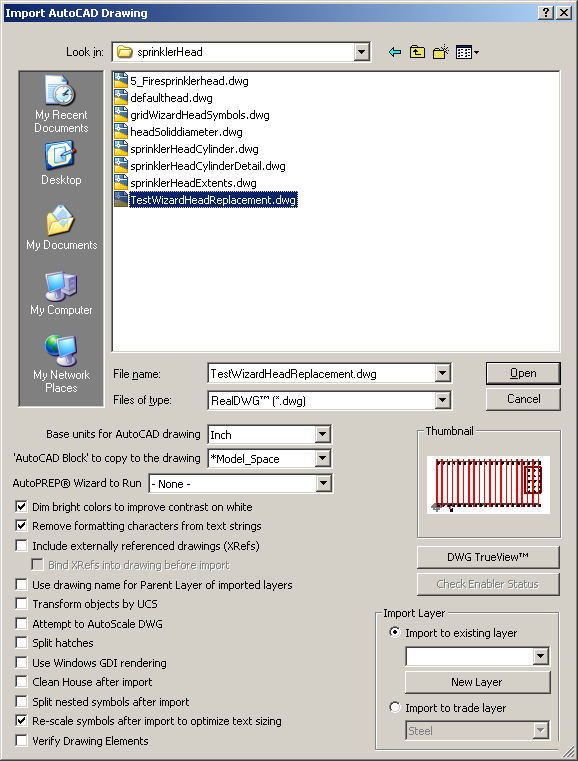
The ability to Dim Bright Colors compensates for the typical black background drawings created in AutoCAD. If you find your colors difficult to see after an import, check to make sure this option is selected.
Remove Formatting Characters from Text Strings eliminates extraneous presentation information packaged with label copy, such as symbols representing bold or italic.
Include Externally Referenced Drawings (Xrefs) repeats the import process on all documents linked to the file currently being imported, saving them as
.cad files in order to retain all reference capacity. Bind XRefs into Drawing before import will automatically bind any XRefs into the imported drawing.
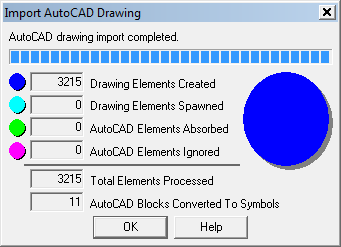
See AutoSPRINK Help for more information about Import settings. After you click "Open" a dialog box will pop up showning the import status.
Once the AutoCAD drawing import has complete click "OK"
|
Back To Training Menu
|
|
|